

You’re viewing Porto documentation — a distinct product from Anchorage Digital’s core custody platform. Go to Anchorage Digital docs →
Permission matrix
What each role can do
Admin
Can:- Do everything Operator and View-only can do
- Add and delete users
- Manage trusted destinations
- Create and edit vaults
- Create and modify vault and admin policies
Operator
Can:- View balances and vault details
- Deposit and withdraw assets (subject to your vault’s quorum policy — see Required approvers & sub-quorums)
- Modify vault or admin policies
- Add or remove users
- Create vaults
- Add or remove trusted destinations
View-only
Can:- View vault details, balances, and activity
- Initiate or approve any operation
- Modify any settings
Users can hold multiple roles
A user’s role can differ by vault — for example, someone might be an Admin in one vault and Operator in another. Your permissions for a given vault are determined by your role assignment for that specific vault.Visibility is separate from permissions. Today, any user added to the organization can see activity across every vault, regardless of role — an Operator, a View-only user, and an Admin all have the same visibility into org-wide activity. Vault-level visibility gating is coming soon. See Activity & transaction history.
Checking your permissions
1
Open settings
From the home screen, tap Settings.
2
Select users or team
Go to Users, Team, or People.
3
Find yourself
Look for your user profile in the list.
4
View your role
You’ll see:
- Your role (Admin, Operator, or View-only) per vault
- When you were added
- Your status (active, pending, etc.)
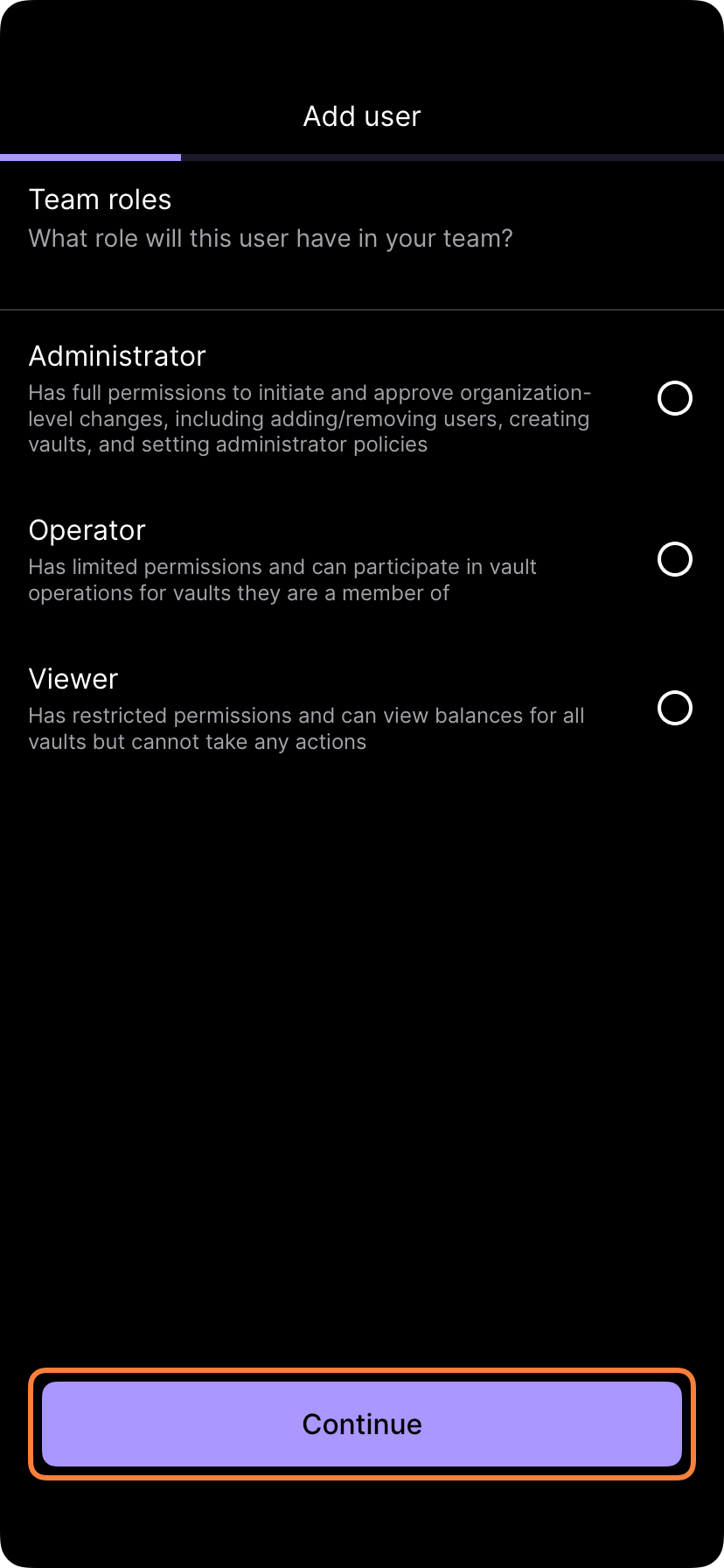
User role selection screen
Requesting role changes
If you need different permissions:- Talk to your administrator — Explain why you need the permission change
- Get approved — Your admin will review and approve the change, subject to your admin policy’s quorum requirements
- Role updates — Your new role takes effect once approved
- Verify access — Check your settings to confirm the new role is active
Best practices for role management
- Regular audits — Review user roles periodically to ensure they still match job functions
- Principle of least privilege — Assign View-only or Operator instead of Admin unless full administrative access is genuinely needed
- Off-boarding — Remove or disable accounts immediately when someone leaves