

You’re viewing Porto documentation — a distinct product from Anchorage Digital’s core custody platform. Go to Anchorage Digital docs →
When to delete a rule
Consider deleting a rule when:- No longer needed — The default policy is sufficient for this operation type again
- Simplification — You’re reducing the number of customized rules to make policies easier to reason about
- Org restructure — After staffing changes, a custom rule for this operation type may no longer make sense
Before deleting a rule
Before deleting, verify:- Check the default policy — Confirm what approval requirement this operation type will fall back to
- Impact analysis — Is the default policy’s requirement acceptable for this operation type going forward?
- Compliance — Does your compliance requirement depend on the customized rule rather than the default?
Delete a rule
1
Open policy
Go to Settings > Policies > Vault policy or Admin policy.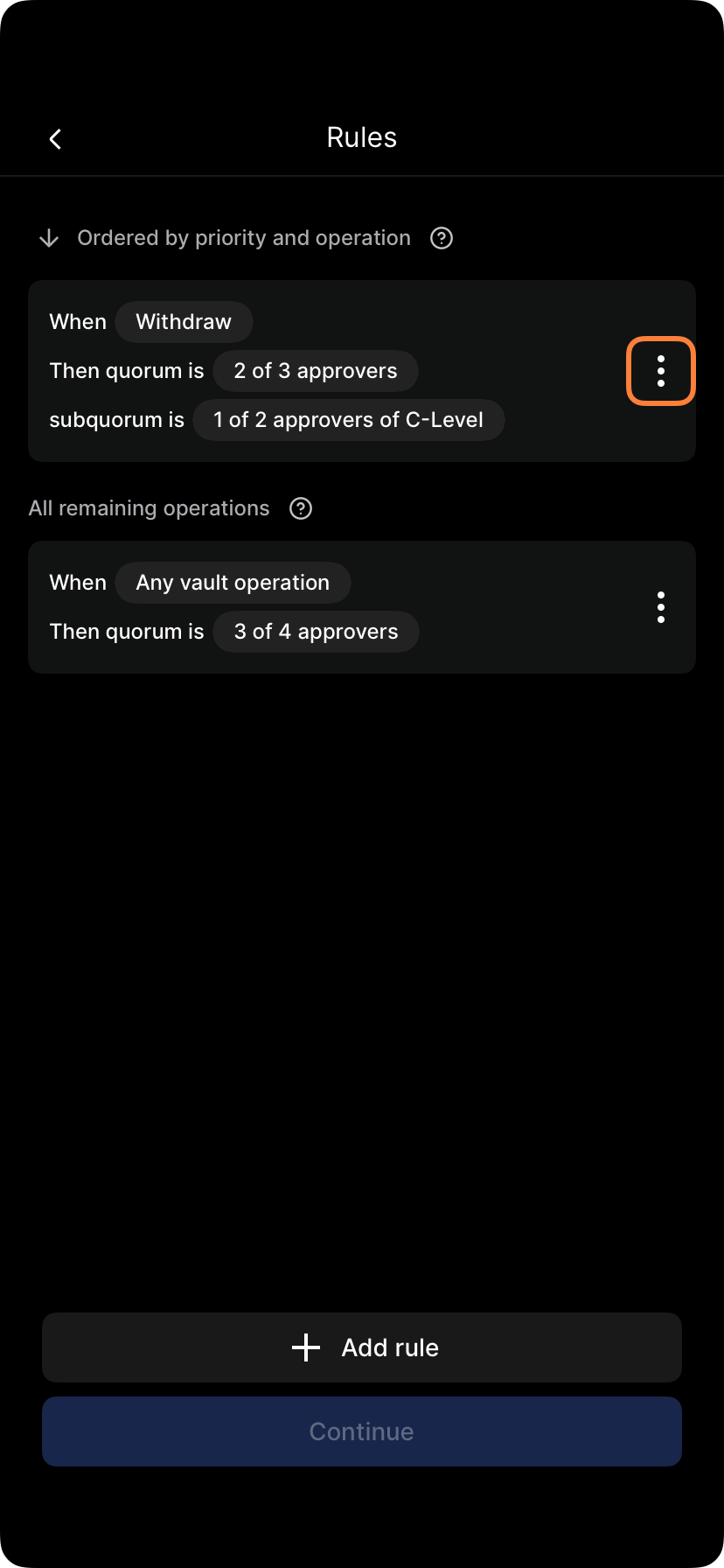
Rules list in policy editor
2
Find the rule
Locate the rule for the operation type you want to revert to default.
3
Tap delete
Select Delete rule.
4
Confirm deletion
You’ll be asked to confirm you want to delete this rule. Review the rule one more time.
5
Submit policy changes
Tap Submit policy or Apply changes. Rule deletion takes effect.
6
Approve if required
If your policy requires approval for policy changes, the deletion must be approved.
What happens when you delete a rule
Before deletion:- Operation type “Withdrawal” has a customized rule: 2 of 3 senior officers
- Default policy for other operation types: 1 of 2 admins
- Withdrawals now follow the default policy (1 of 2 admins) instead of the customized rule
- No operation is left without an approval path — the default policy always covers it
Safe deletion practices
Confirm the default is acceptable
Before deleting, check what the default policy requires and confirm that’s an acceptable fallback for this operation type.Communicate first
Notify affected approvers that this operation type is reverting to the default policy, and what that means for approval requirements.Consider editing instead
If you want a different requirement rather than reverting to default, edit the rule instead of deleting it.The default policy always applies
Every operation type without a customized rule follows the default policy — there’s no scenario where deleting a rule leaves an operation type uncovered.Approval for rule deletion
Deleting a rule requires the same approval process as other policy changes:- Submitter: The person proposing rule deletion
- Approvers: Usually the same policy that governs vault operations
- Timing: Deletion takes effect only after approval
- Audit trail: Deletion is recorded showing who approved it, when, and the rule’s prior configuration
Recovering a deleted rule
If you accidentally delete a rule:- Check version history — Some systems keep policy versions; you can roll back
- Recreate the rule — Add the rule again with the same base quorum and subquorum configuration
- Request recovery — Contact your administrator or Porto support for help
Communication around deletions
When deleting a rule, notify users:- Which operation type — Which rule is being deleted
- Why — Business reason for the deletion
- Effective date — When the deletion takes effect
- Impact — What the default policy requires for this operation type going forward
Audit trail of deletions
All rule deletions are recorded:- Who deleted it — The user who made the deletion
- When — Exact time and date
- Which rule — The operation type and prior approval requirement
- Approval — Who approved the deletion
Rule deletion checklist
Before deleting a rule, verify:- You’ve confirmed what the default policy requires for this operation type
- That default is acceptable going forward
- No compliance requirement depends on the customized rule
- Users have been notified of the planned deletion
- The deletion has been approved