

How you hold AZTEC
- Aztec Token Position (ATP): A smart contract that holds a locked AZTEC allocation, with your wallet as its beneficiary. Staking and governance actions go through the ATP’s own staker contract.
- Unlocked tokens: AZTEC held directly in your Anchorage Digital wallet.
Supported actions
The table shows which actions are available from each type of holding, and the decentralized app (dApp) you use for each one.
Staking, delegation, and governance actions require quorum approval before they execute. Claiming staking rewards and claiming vested tokens require initiator approval only, so no quorum is needed.
To claim staking rewards, the rewards split contract for the delegation must be a trusted smart contract, whether you delegated from an ATP or from unlocked tokens. If you delegated from an ATP, the ATP must be trusted too. See Contracts you need to claim rewards.
Where to start each action
All AZTEC staking, delegation, claiming, and governance interactions start from a dApp. You don’t start them from the Anchorage Digital iOS app or web dashboard.- Staking, delegation, and claiming: stake.aztec.network
- Governance: aztecgov.nethermind.io
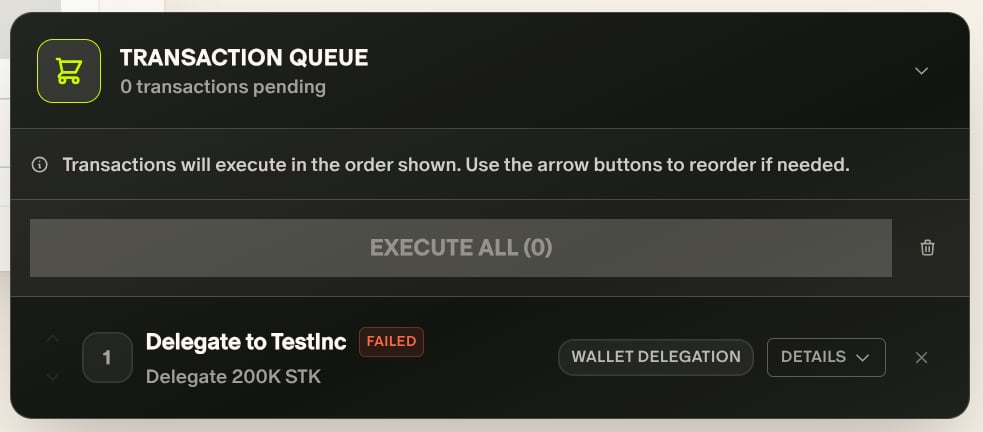
A delegation marked as failed in the dApp's transaction queue after the dApp timed out
Why Aztec contracts must be trusted first
Anchorage Digital only signs a smart contract call when it recognizes the contract and the specific action you request. This protects your assets from calls to unknown or malicious contracts. Shared Aztec contracts—the AZTEC token, the staking registry, the rollup, and governance—have fixed, published addresses. We recognize them for every client, so there’s nothing for you to set up. An ATP is different. Each ATP, and the staker contract that belongs to it, sits at an address that’s unique to you. We can’t recognize that address ahead of time. Adding it as a trusted smart contract for your vault tells us three things:- The contract belongs to your organization
- Which vault can interact with it
- Which role it plays, so we only sign the actions that fit that role
How we add contracts
You don’t need to enter the addresses yourself. When we detect a new ATP with your wallet as its beneficiary, we automatically create an Add trusted smart contracts operation for the wallet’s vault. For each ATP, the operation adds two contracts:- ATP Trusted Smart Contract Interaction: Your ATP
- ATP Staker Trusted Smart Contract Interaction: Your ATP’s staker contract
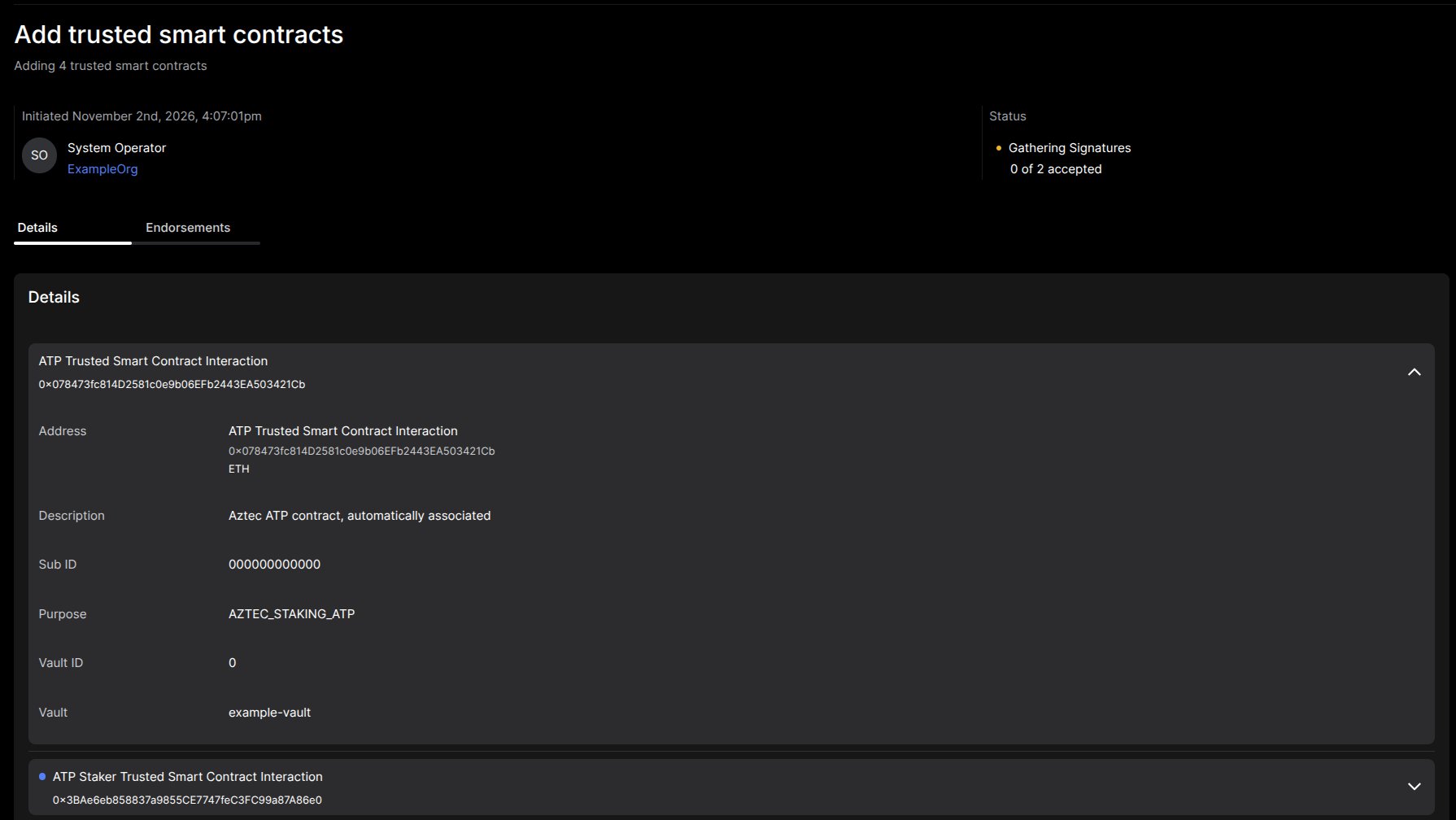
An Add trusted smart contracts operation for an ATP and its staker contract
We add trusted smart contracts per vault. An ATP whose beneficiary is a wallet in another vault needs its own operation.
Contracts you need to claim rewards
When you delegate stake to a provider, the delegation gets its own rewards split contract. Staking rewards are paid out through that contract, so it must be trusted too. This applies however you hold your AZTEC. The contracts that must be trusted for your vault before you can claim staking rewards are:
We add the split contract to the vault automatically, the same way we add an ATP. If a required contract isn’t trusted yet, you can’t claim rewards from that delegation.
If you don’t see an Add trusted smart contracts operation after we detect your ATP, contact your client experience manager.